
Everything the BinTrack app does,
on one page.
Dispatch, bin tracking, QR scanning, weights, recurring services, billing lines and reports — how each piece works, and exactly how to use it. Written for the office, the cab and the customer alike.
Six minutes, start to finish: booking a job, assigning a driver, the scan, the scale ticket, and the report that comes out the other end.
One app, three front doors
You sign in once at /login and the app takes you to the side of it that belongs to you. Which door you land behind is decided by your role, not by a URL you have to remember.
Office console
Admins & superadmins
- Dispatch, jobs and the live bin map
- Customers, bins, equipment and drivers
- Pricing, reports, settings and the activity log
/adminDriver app
Drivers, on a phone
- Today's stops in the order they're run
- Scan a bin, confirm the work in one tap
- File a scale ticket and photograph the slip
/driverCustomer portal
Your customers
- Which bins they have and where
- Request a pickup or a swap
- Scheduled services and pricing
/portalYour first ten minutes
A brand new company, from empty to a driver holding a job on their phone.
- 1
Sign in
Go to /login with the address you were invited on. Forgotten it? Forgot password mails you a link — password resets and invites can never be switched off, so a locked-out account always has a way back.
- 2
Add your equipment
Records → Equipment. Each entry carries its capacity, the tonnage included before overweight kicks in, the hard lifting limit, and which services it supports. Bins point at it.
- 3
Add a customer and a bin
Records → Customers, then Records → Bins. Each bin gets its own QR sticker code the moment you create it — random enough that nobody can guess another one.
- 4
Book the job and assign it
Operations → Jobs → New Job. Pick the customer, the service, the window and the driver. It appears on that driver's Today screen straight away.
- 5
Print the labels
Records → Bins → Print labels. A sheet of QR labels comes out formatted for a printer, with the app chrome stripped off the page.
Everything dispatch touches
The sidebar is grouped on purpose: the screens you open every morning sit apart from the ones you open once a month.
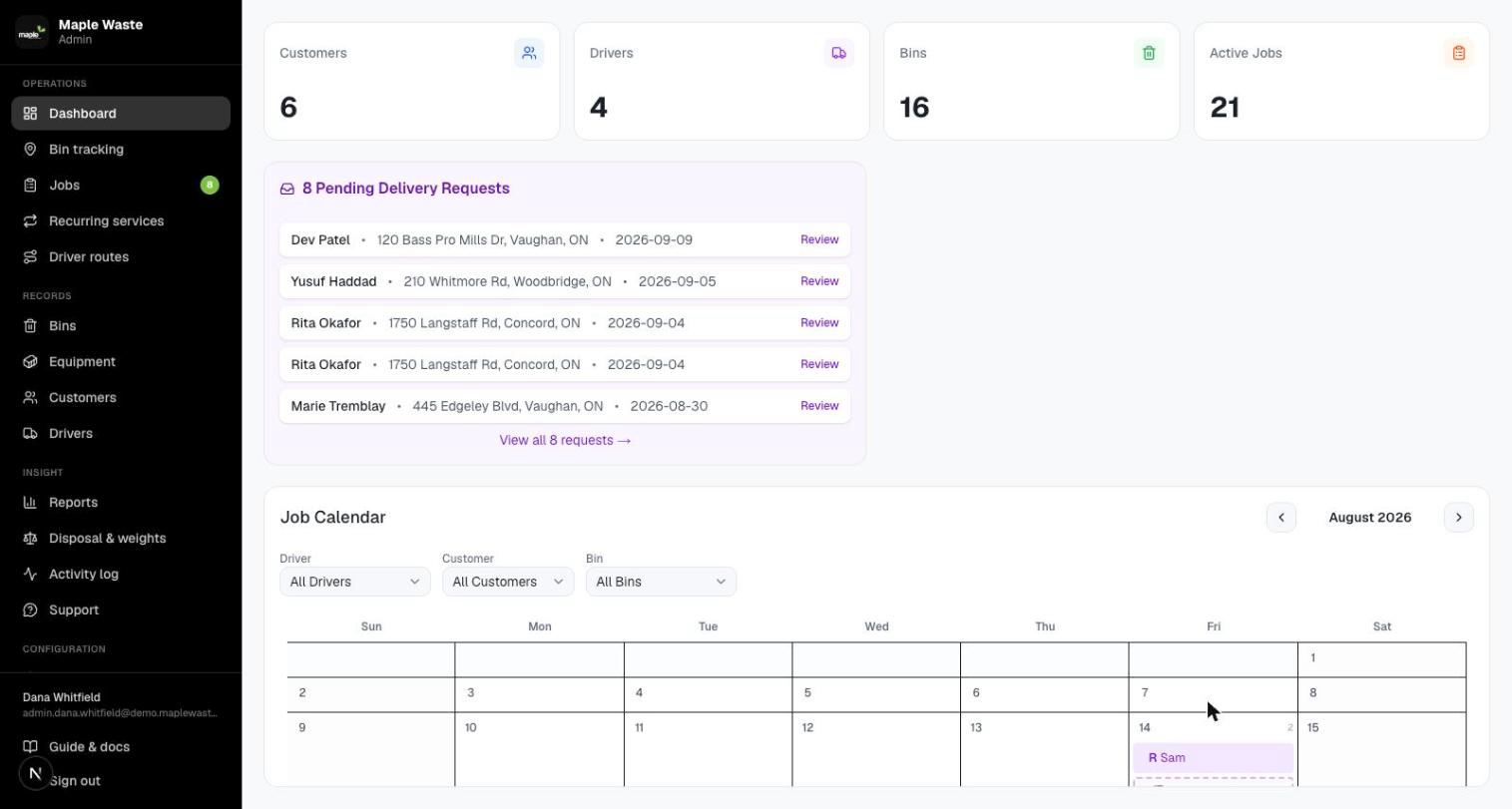
Dashboard
The day at a glance — what’s booked, what’s outstanding, what needs a decision.
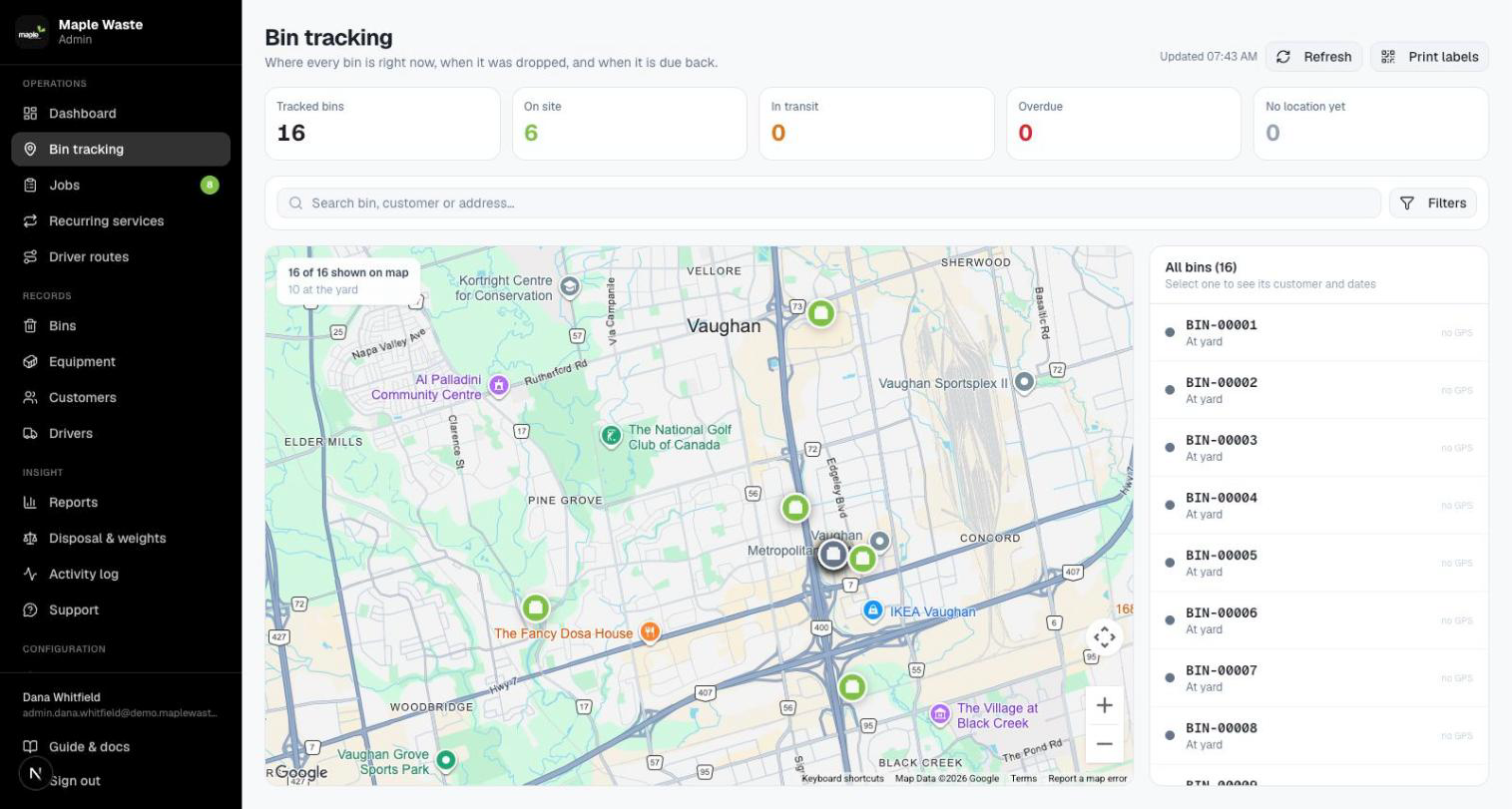
Bin tracking
A live map of every bin: where it is, who has it and how long it has been there. Refreshes every ten minutes, or on demand with Refresh.
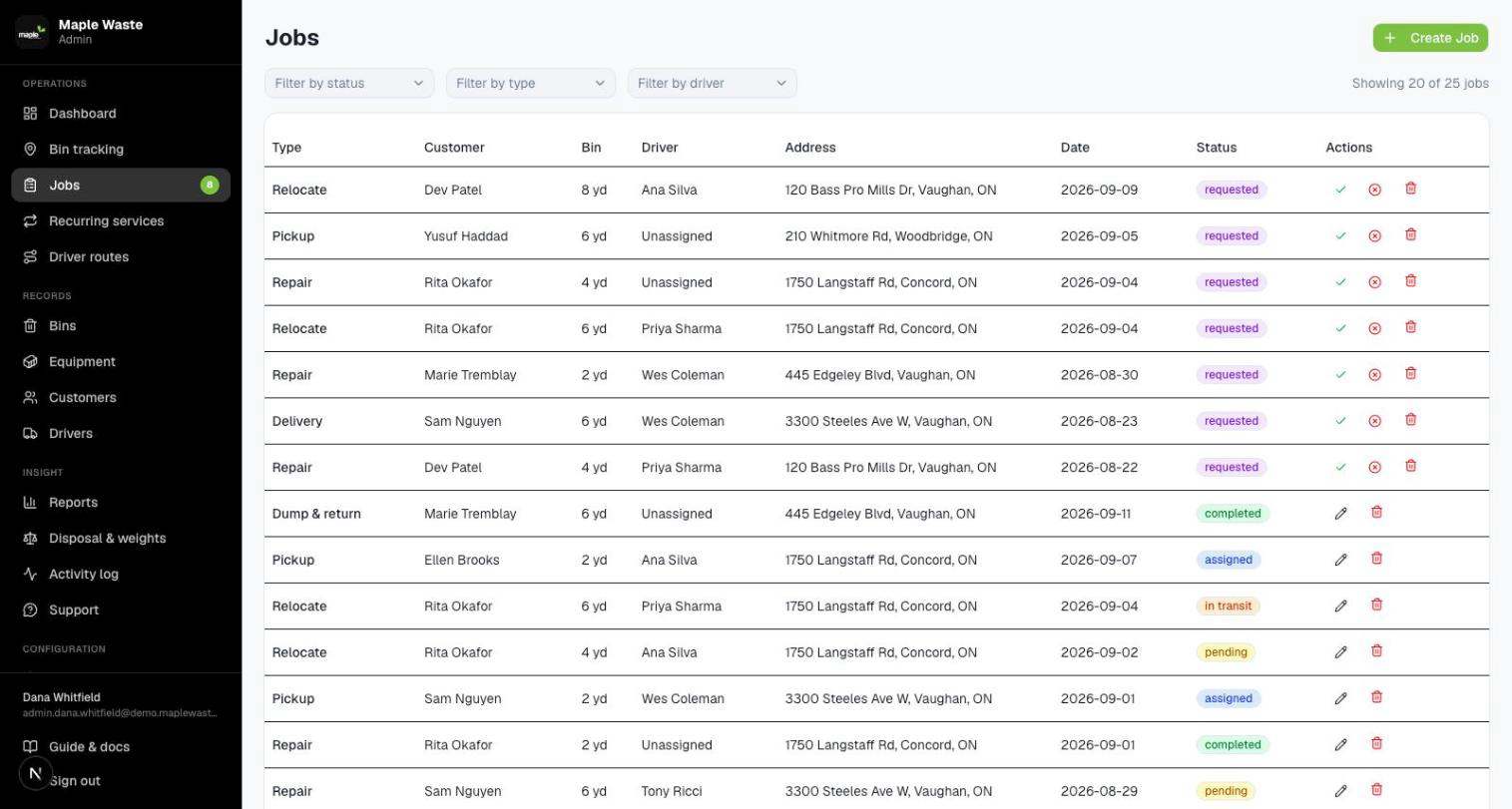
Jobs
Dispatch proper. Filter by driver, status, type or window; create, edit, assign, accept or decline a request, and cancel with a reason.
Recurring services
“Empty the 6yd every Monday and Thursday.” Real jobs are booked a fortnight ahead so a missed week shows up as a gap instead of silence.
Pickup requests
What customers asked for from the portal, waiting to be turned into a scheduled job.
Driver routes
Where each truck went on a given day: the track, every stop, the distance and the jobs finished.
Equipment & materials
The catalogue behind every bin, plus the waste streams that set tipping rates and count toward diversion.
Activity log
Who changed what, and when. The first place to look when two people remember a job differently.
How to book a job
- 1
Jobs → New Job
Or open a pickup request and press Accept & Schedule to carry its details straight over.
- 2
Pick customer, bin and service
Delivery, pickup, dump & return, swap, relocate or repair. A service the equipment cannot do is refused rather than discovered by a driver on site.
- 3
Set the window and the driver
Delivery window, live-load or drop-off, notes for the cab. Leave the driver blank and it sits unassigned on the board.
- 4
Save
The job lands on that driver's Today screen and on the dispatch board with an Assigned status.
How to read a driver’s day
- 1
Driver routes → pick a driver and a date
Today is drawn live from the GPS trail and keeps updating as the shift runs.
- 2
Past days come from storage
At the end of a driver's day the whole shift is squeezed into a single compact record — the route they drove, where they stopped, how far and how long — and the thousands of raw location readings behind it are thrown away.
- 3
Why it matters
A driver pinging every fifteen seconds makes about 2,400 rows a shift. Condensed, a day goes from a couple of hundred kilobytes to a few, and stays queryable.
- 4
Keep it as long as you like
Settings → Data retention sets the window. 30 days by default.
Built for one thumb and a windscreen
Four screens, big targets, dark chrome. A driver should never have to hunt for the button that says the work is done.
Today
The stops for this shift. Start this job, then one confirm button whose wording matches the work — Confirm drop-off, Confirm emptied, Confirm swap, Confirm moved. When the last one is done the screen says so and offers Back to yard.
Scan a bin
Point the camera at the label. The app opens whatever suits — the assigned job with its confirm button, or the bin's current status if there is no job on it.
All my jobs
Everything assigned, not just today, for when a customer asks about Thursday.
History
What this driver has already completed, with dates and addresses.
Weigh in from the cab
Straight after a scan, file the scale ticket: the site, the material, gross and tare. Net weight, the disposal cost from that site’s rates and whether the load was over the allowance are all worked out for you.
Photograph the printed slip
The photo is shrunk to 1600px on the phone before it is sent — legible for a page of printed digits, about a fifth of the bytes. It lands in a private bucket; viewing it mints a one-hour link rather than storing a permanent one.
Location, quietly
The app reports position in the background while a shift is open, which is what draws the day’s route. A company that would rather it didn’t can switch driver locations off in Settings.


What your customers see
Self-serve enough that the phone rings less, and narrow enough that nobody sees another company's anything.
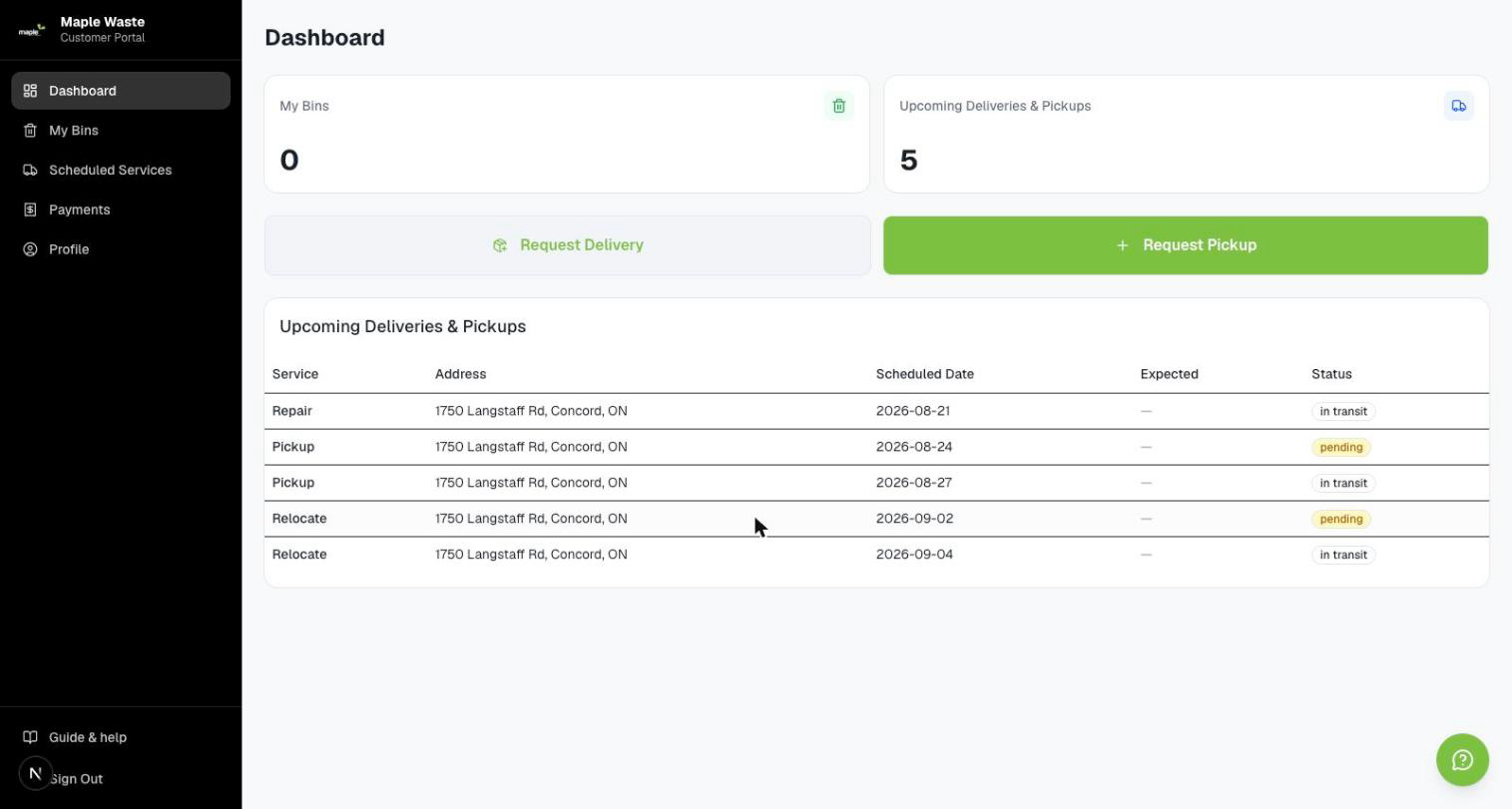
Dashboard
What’s on site, what’s coming, what was asked for.
My bins
Every bin they hold, where it is and how long it has been there.
Pickup requests
New Pickup Request takes a bin, a preferred date and notes; it lands in the office’s inbox and its status tracks back.
Scheduled services
What is booked and when, including everything a recurring agreement has generated.
Pricing
The rates that apply to them, so a quote does not need a phone call.
Support
A help bubble on every screen. It answers the common questions itself and opens a real thread with the office when it can’t.
How a customer asks for a pickup
Four taps on their side, one decision on yours.
- 1
Pickup Requests → New Pickup Request
They pick the bin, a preferred date and add any notes about access or timing.
- 2
It arrives in the office
Operations → Pickup requests, with a badge on the sidebar so it is not missed.
- 3
Accept & Schedule, or decline
Accepting opens the job form pre-filled with what they asked for. Declining sends a reason back.
- 4
They watch it move
The request's status updates in their portal, and the scheduled job appears under Scheduled Services.
A label on the bin is the whole system
Every bin wears a QR sticker. Point a phone at it and the app opens showing exactly what that person needs — which is different for a driver, the office and a customer.
Print labels
Bins → Print labels. The sheet drops the sidebar and page chrome out of the printed flow, and the QR prints solid black rather than a screen tone.
Tokens are private
A token belonging to another company resolves to “not found” — exactly the same answer as one that never existed.
The map can’t drift
Confirming a job writes the bin’s history and moves it on the map in the same breath, so the two can never drift apart and disagree.
Emptying isn’t removing
Dump & return leaves the bin on site. That is the whole reason emptying a bin must not take it off the tracking map.

Six things that actually happen to a bin
Dropped off and taken away leaves out most of the work. Which services a piece of equipment supports is part of its catalogue entry, so the wrong booking is refused up front.
| Service | What happens | The bin afterwards |
|---|---|---|
| Delivery | Empty bin dropped at the site | On site |
| Pickup | Bin taken away for good | Back at the yard |
| Dump & return | Lifted, emptied into the truck, put back | Still on site |
| Swap | The full one leaves, an empty one is left | Replacement on site |
| Relocate | Moved to a new spot or site | On site, clock restarted |
| Repair | Serviced or recovered | Unchanged |
Setting up a recurring service
- 1
Recurring services → new agreement
Customer, bin, service and the days it runs — "the 6yd, every Monday and Thursday, from this date".
- 2
Jobs appear a fortnight ahead
A worker books the real jobs hourly, and immediately when you create the agreement, so dispatch always has something to assign.
- 3
Skip a date
Holidays, shutdowns, a customer asking for a week off — skipping cancels the job already booked for that date.
- 4
Never double-booked
The generator checks for an existing job on the same agreement and date, so re-running it is harmless.

Who was in which truck
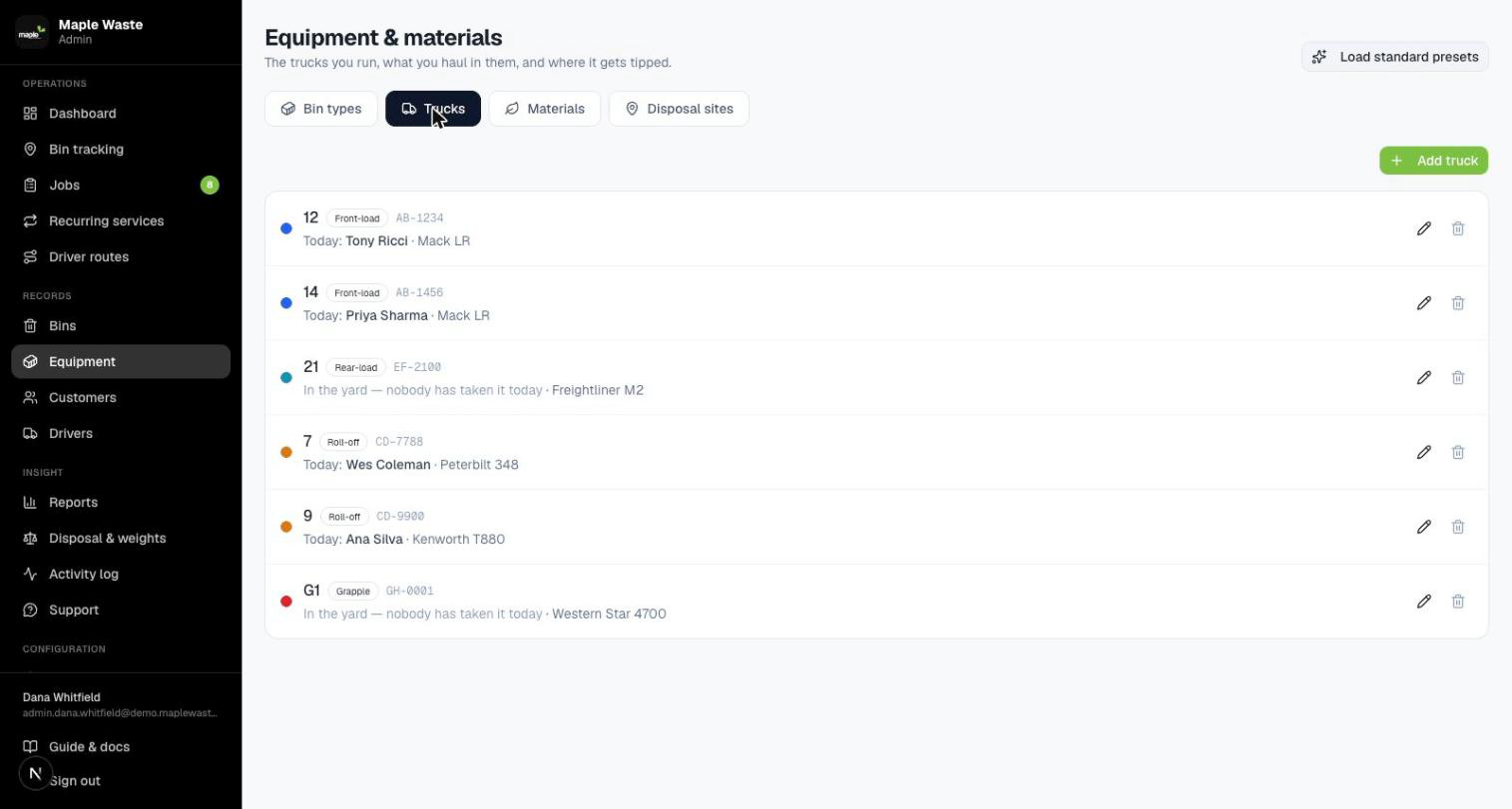
Add your trucks once. Each morning a driver taps the one they climbed into, and from then on every kilometre that day is recorded against it.
Every kind of truck
Front-load, rear-load, roll-off, hooklift, grapple, flatbed and service. The type matters because a front-load truck cannot collect a roll-off box, and the office needs to know that.
Drivers choose
Nobody keys it in for them. The person who knows which truck they got into is the driver standing beside it.
Swapping is fine
Take a different truck at lunchtime and the first one is freed for someone else the moment you do.
Never blocks the round
Forget to pick one and your jobs still show up. The day is simply filed without a truck against it — better than a form standing between a driver and their work at six in the morning.
What the load weighed, and what it costs
From the weighbridge slip in a driver's hand to an itemised line on a finished job — without pretending to be an accounting package.
Scale tickets
Give gross and tare; the database works out net weight, the disposal cost from the site’s rates, and whether the load was over the bin type’s allowance.
Disposal sites
A standard rate plus per-material overrides, because clean loads often tip cheaper — or free.
Materials
The waste streams. They set the tipping rate on a ticket and decide what counts toward diversion.
Charges
Every completed job carries what it should be billed, itemised: the service, disposal passed through, and overweight where it applies.
Corrections survive a recalculation. Lines built automatically are marked auto and rebuilt whenever charges are recalculated. Anything typed by hand is marked manual and left alone — so a correction is never quietly undone.


This deliberately stops short of invoicing. “What did we bill in March” is a report you export as CSV for whichever accounting package you already run.
A deposit up front, the rest when the job is done
Switch it on and customers pay a deposit when they ask for a bin. Their card is kept safely at Stripe, so you can charge whatever is still owed once the work is finished — weeks later if that is how long the bin was out.
You never see a card
Card details are typed on Stripe’s own page, never on ours. Nothing about a card is stored here — only Stripe’s receipt for it.
Deposits per bin
One figure for the company, and any bin type can ask for more or less. A forty yard roll-off is worth more to secure than a wheelie bin.
A failed card is a phone call
If the final charge is declined the system tries again a few times, then stops and emails you. Chasing it further is a person’s job, not a robot’s.
One switch
Off by default. With it off nobody is asked for money and nothing can take any — not just hidden from the menu, actually refused underneath.
The things nobody is watching for
A bin that has been on a site five weeks. A job that was due last Tuesday. Nothing goes wrong loudly, so these surface when a customer rings up. Say once what counts as too long and you get told instead.
21
days on site
Bin out too long
2
days past due
Job not done
30
days unscanned
Nobody has seen it
Once, not nightly
Something that stays wrong for a month emails you once, not thirty times. When it is put right and later happens again, you hear about it again.
Never the customer
Every reminder comes to you. Whether the customer should hear about it is your call, and you make it after reading.
Your numbers
Three weeks might be normal for you and alarming for someone else. You set each figure, and anything you have not switched on stays quiet.
Build a report without writing SQL
Pick an entity, choose columns, add filters, set a sort. Preview it, save it, and have it emailed on a schedule.
- 1
Reports → new report
Name it, then choose what to report on. Two are ready-made — Where every bin is and Driver day sheet — and both become ordinary report definitions you can edit afterwards.
- 2
Columns and filters
This company's custom fields appear as columns automatically, prefixed cf:. Nothing you type reaches the database as executable text — every identifier is checked against a whitelist and every value is bound as a parameter.
- 3
Preview
See the rows before you save. Adjust and preview again as many times as you like.
- 4
Schedule it
Daily, weekly or monthly in your own timezone, to any list of addresses, with the data attached as CSV.

CSV out
Every report exports, so anything the app doesn’t do itself is one download away.
Sent on a schedule
Something checks quietly in the background for anything due and sends it. Running the system on several servers at once never sends the same report twice.
Custom fields included
Add a field in Settings and it shows up as a column here — no migration, no waiting.
Turn off what you don’t run
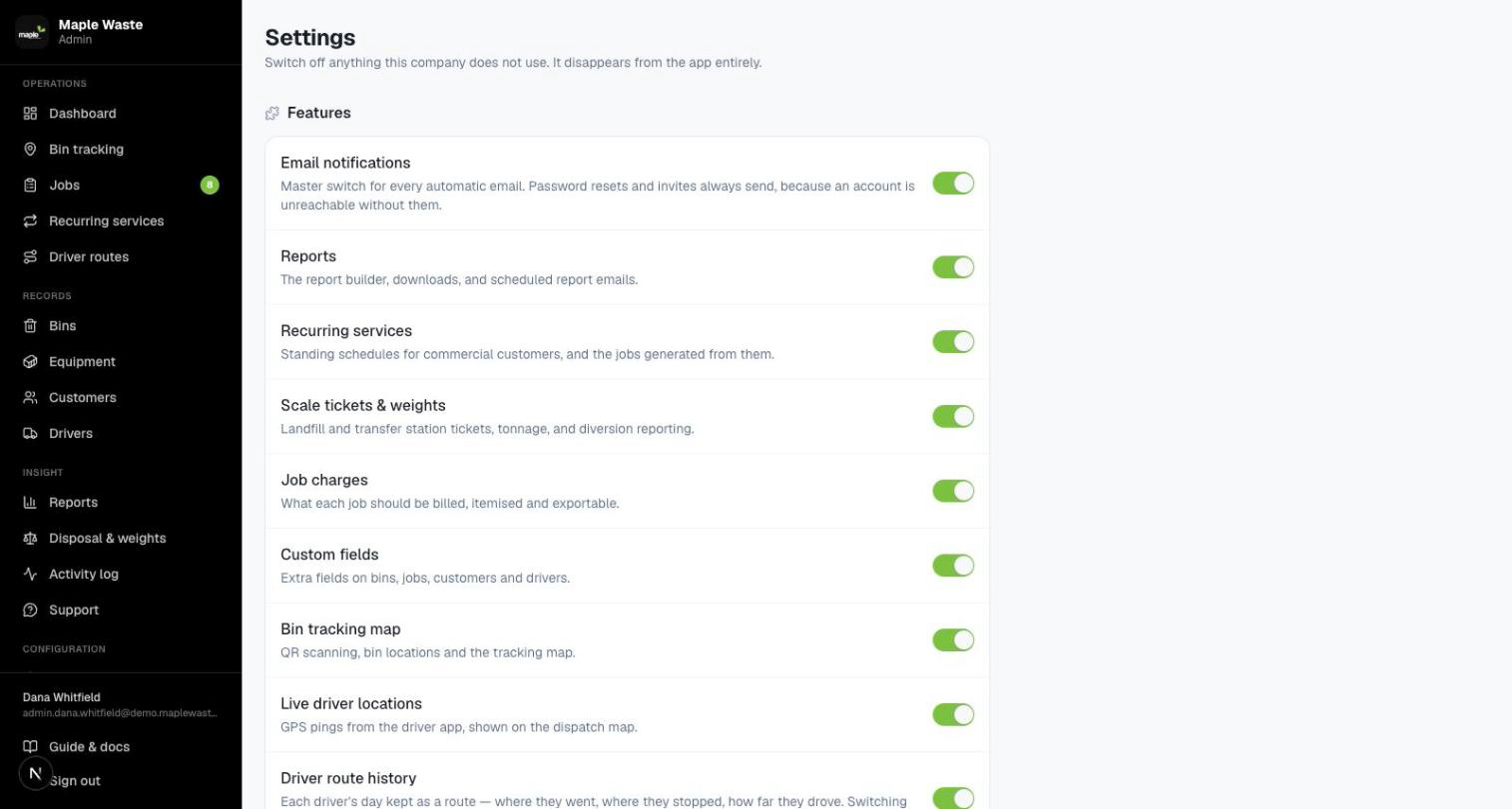
Any part of the system can be switched off for a company. It vanishes from the menu, and the system stops answering for it underneath — so keeping an old link bookmarked will not get anyone back in.
Email notifications
A master switch plus one per event, so you can keep job confirmations while silencing pickup requests. Password resets and invites cannot be switched off — without them a locked-out account has no way back in.
Custom fields
Settings → Custom fields, superadmin only. Adding one is a row write — no migration, no table lock. Archiving is the default and is reversible: the field leaves the forms while every recorded value is kept.
Data retention
Route days older than the window (30 by default) are purged hourly. The expiring rows are emailed out as CSV first, and the delete only runs if that email was sent — a bounced archive costs a day of storage rather than the record.
Who can see what
| Role | Lands on | Can reach |
|---|---|---|
| Superadmin | /admin | Every company — switch between them from the sidebar. Plus custom fields. |
| Admin | /admin | Everything in their own company. |
| Driver | /driver | Their own jobs, scans and tickets. |
| Customer | /portal | Their own bins, requests, services and pricing. |
Separation is enforced in the database itself, not by each screen remembering to filter — a route that forgot would still leak nothing.
The ones that come up
And if yours isn't here, the help bubble in the app opens a thread with the office.
Use Forgot password on the sign-in screen. A link is mailed to you. Resets and invites are the two emails that can never be switched off, precisely so a locked-out account always has a way back in.
Almost always something switched off in Admin → Settings. Reports, recurring services, weighbridge tickets, charges, custom fields, bin tracking, driver locations, route history and customer payments can each be turned off for a company — which hides the screen and stops it working underneath, not just out of sight.
Because that is what a dump & return is: lifted, emptied into the truck and put back. It is the bread and butter of a front-load book, and the bin genuinely is still on site. Use Pickup for a bin that has left for good.
It refreshes every ten minutes rather than continuously. Press Refresh for the live picture whenever you need it now.
They file a corrected ticket rather than overwriting the photo. Only an admin can delete one — the evidence is what settles a disputed tonnage weeks later.
No. Every record belongs to exactly one company, and that is enforced by the database rather than by the screens. Scanning another company's bin sticker says "not found" — word for word what you get from a sticker that never existed, so nothing can be learned by trying.
Thirty days by default, changeable in Admin → Settings → Data retention. Expiring days are emailed out as a CSV before anything is deleted, and the delete only runs if that email went through. You can turn the archive off, and the screen says plainly that there is no undo once a purge has run.
No, and deliberately. It produces itemised charge lines on completed jobs, which you export as CSV into whatever accounting package you already use.